You can connect your LLM to the MCP Server. Our official Phonemos MCP Server is free of charge, but as it will make data available to your LLM, we make this an opt-in feature that requires you to explicitly tell us to activate it.
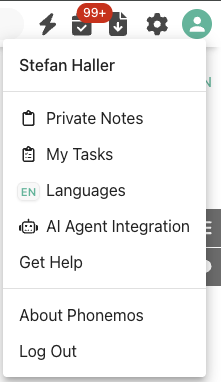
Once it is activated, you find the possibility to connect in your profile menu on the top right “AI Agent Integration”.
A popup window will then show you the connection info you need to connect your LLM:
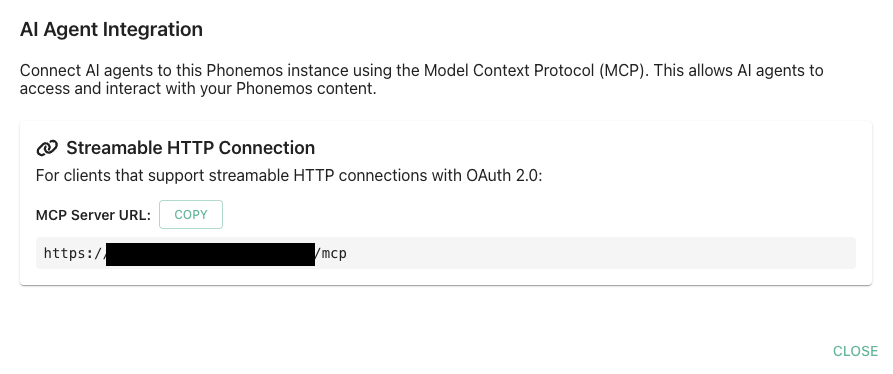
This is all you need to connect your LLM. Please refer to your organisation’s LLM system’s documentation to find out how to configure the connection in your specific environment.
Configuration in the AI-Provider
Mistral
Select “Intelligence” on the left hand side in le chat, then select “Connectors”. Then select “Add Connector” on the right and the “Custom MCP Connector” tab.
Paste the URL from above under “Connector Server”
Select OAuth2.1 as the Authentication Method
Enter the Client ID and Client Secret for the client created in the keycloak (by the provider)
Click “Create”
For more informations, see the Mistral documentation here: https://help.mistral.ai/en/articles/393572-configuring-a-custom-connector