Phonemos is made for multi-lingual teams and the multi-lingualism feature allows you to approach this topic in sophisticated ways.
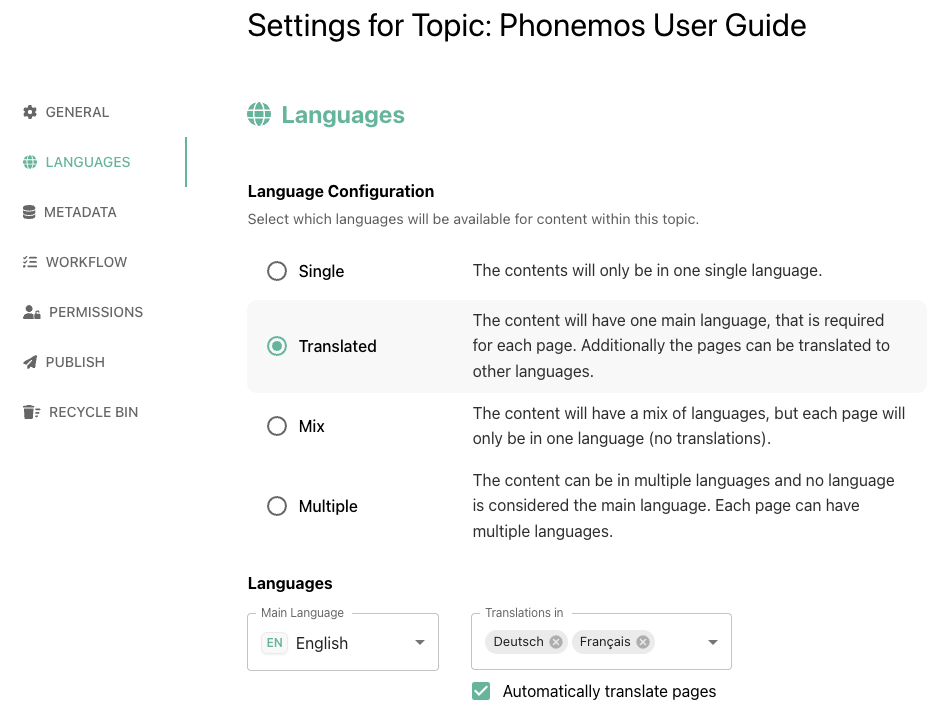
For each topic, you can choose between four options. Do this as a topic manager in the settings of each topic.
Single
Translated
Mix ( ✅ recommended)
Multiple ( ⚠️ use with caution and only after you understood how this really works)
TL;DR: if this is already starting to get much too complicated to you, we recommend to use Mix by default as it will usually do what you want and work best in all environments, where you have international teams, but no strict translation systematics in place.
Before we explain each mode, be aware that Phonemos approaches the language problem from two sides. First, the authors of pages may choose to provide pages in one or multiple languages and whether they want to use automatic translation or edit translations manually. Secondly, each user can decide to consume pages in their original form or in translated versions.
Turning on automatic translation
plan business
In order to use automatic translation, you first have to opt-in contractually into using DeepL for translations and then enable the feature in the global site settings.
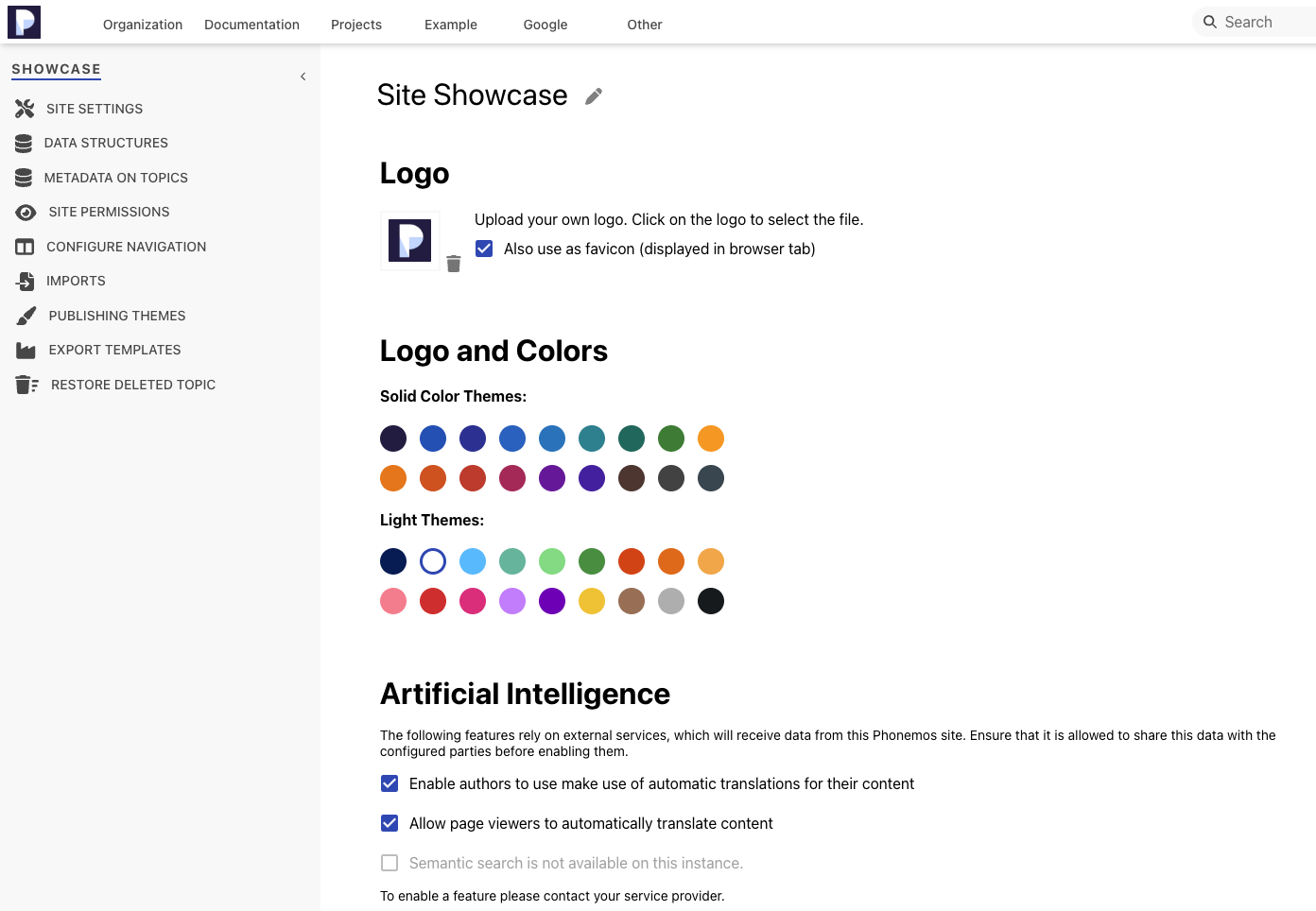
You can enable authors to create automatic translations and/or viewers. See also Automatic translation of content (via deepl).
Options for the viewers
Every viewer can edit his personal language settings in his profile menu under “Languages”.
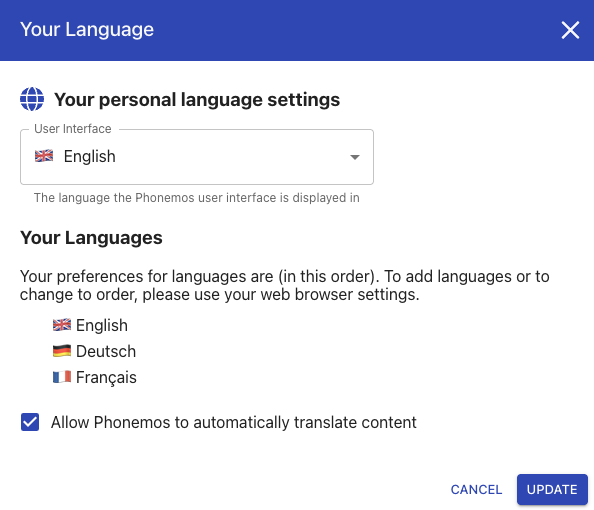
See Multi-lingual user interface for information on the first item. This will only change the language of the user interface, not the content itself.
As a user you can use the checkbox to enable or disable using automatic translation of content for yourself. Just above it, Phonemos shows you your personal language settings you use in your browser. In pretty much every browser, you can define the languages you understand and order them in the order of your preference. In above example, the user basically told her browser, that she understands Englisch, German and French, but prefers reading content in the language in this specific order of priority.
Phonemos uses your browser preferences to decide, what language to show by default. Phonemos also takes into account, whether the page authors published a “curated” language version or published in another language and the page would be automatically translated. Phonemos prefers “curated” language versions, expecting them to have a higher quality of translation.
To illustrate the process, we use above browser settings example with English, German and French as user preferences in this order. Once the user opens a page in Phonemos as a viewer, Phonemos will use the following algorithm to decide what language to display the content in:
If the page was published in a language version listed in your browser preferences, it will use this language.
For example, if the page was published in French, it will show the French version.If there are multiple versions matching your browser language preferences, it will show the one with the highest priority.
For example, if the page was published in German and French, it will show the German version as it is ranked higher in priority.
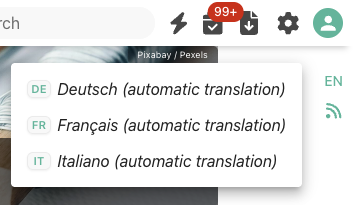
If this is not the case and if Phonemos is allowed to automatically translate content, it will then show you the page in a automatically translated version with your peferred language of the highest priority.
For example, if the page was published in Italian, it will display an automatically translated version in English.If all above attemps fail and Phonemos cannot automatically translate the content, it will show the content in on of the languages the authors published it.
If there is a main language configured, it will use the main language.
For example, if the authors configured German as the main language, but publish also translated versions in French as part of their topic settings, Phonemos will display the German version as it is considered the main version by the authors.If there is no main language configured, it will use the langauge version with the most recent edit.
This basically means that Phonemos expects the user to be able to read and understand all languages configured in her browser preferences well enough that she would prefer reading the pages in the original language instead of an automatically translated version, even if it would be the preferred language.
This is only the default choice. The user can still decide to switch to another language provided by the authors or an automatically translated version if this feature is available.
Topic language configuration options for authors
In order to understand the language configuration options, consider them organised by the following matrix.
Provide translated versions?
Is there a main langauge version? | No, provide every page only in one langauge | Yes, provide pages in multiple language versions in parallel |
|---|---|---|
Yes, there is a main langauge | Single | Translated |
No, there is no main language | Mix | Multiple |
Single
In this mode, Phonemos will expect every page to be in the language you configure in your topic. For example, if you define the content to be in English, all content is considered to be in English, even if it is actually not.
Use this setting in topics where you would like the usage of a specific language to be mandatory, for example if you have a strict company language required to be used. Please note that if users write content in another language, e.g. German, this will actually still work, but the search system might be slightly confused as search is optimized for each language and search can also be told to only search withing a specific language. Thus, if you restrict search to German, but have content in German in page language versions declared English, it will ignore those German texts.
Translated
In this mode, Phonemos will expect every page to be in at least one main or “original” language. Whenever you create a new page, it will be created in the main language you configured.
Afterwards, the authors create additional language versions as derivates of this main language. If you allow authors to use automatic translations, Authors can create a new language version either initialised by an automatic translation or as an empty page. In every case, authors can then still manually edit also the automatically translated version, for example if the automatic tool did not exactly use the right terminology you prefer.
Use this option everywhere, where you have a set of documentation and you maintain and progress it in one specific main langauge, but then need to publish it in many translations.
Mix (recommended)
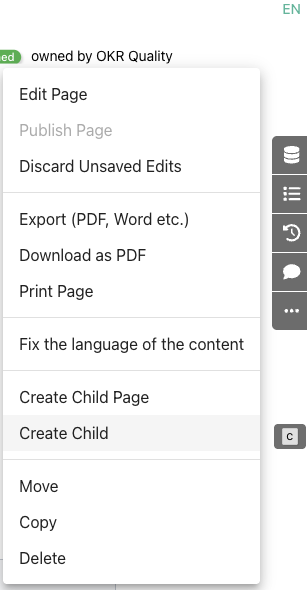
In this mode, Phonemos will only store each page in one single language version, but it will try to auto-recognize the language of the content. This detection works best if you write a couple of paragraphs. If you only write a couple of keywords and save, the language detection might misinterpret the language you intended. But if it did err, don’t worry, you can always manually overrule the language detection using “fix the language of the content” in the “…” menu on the sidebar of a page.
Multiple (use with caution)
This mode is basically combining the complexity of all previously discussed allowing you to create a new page in any language and the provide translated versions for it as well.
This could make sense if you get your information input in a couple of different languages and you need to provide translations. For example, if you have an internal translation service, this service could use Phonemos to easily translate incoming texts into other languages.
We expect this option to be a good fit only in very seldom cases. If you are unsure and have no clear process in mind, how you want to handle the translation process in this setup, best start with one of the other options as this might result in “language versioning anarchy” if not managed well on an organisational level. If you know what you are doing, sure, go ahead.
Option: Optimizing automatic translations with DeepL glossaries
If you are in a business using very strict language terminology like documentation for technical or medical products, please know that DeepL supports adding an industry specific glossary to refine the automatic translations. We can support your custom glossary, but have no feature on the UI to turn this on. Please reach out to us when you need this.