Build attractive landing pages with navigation cards.
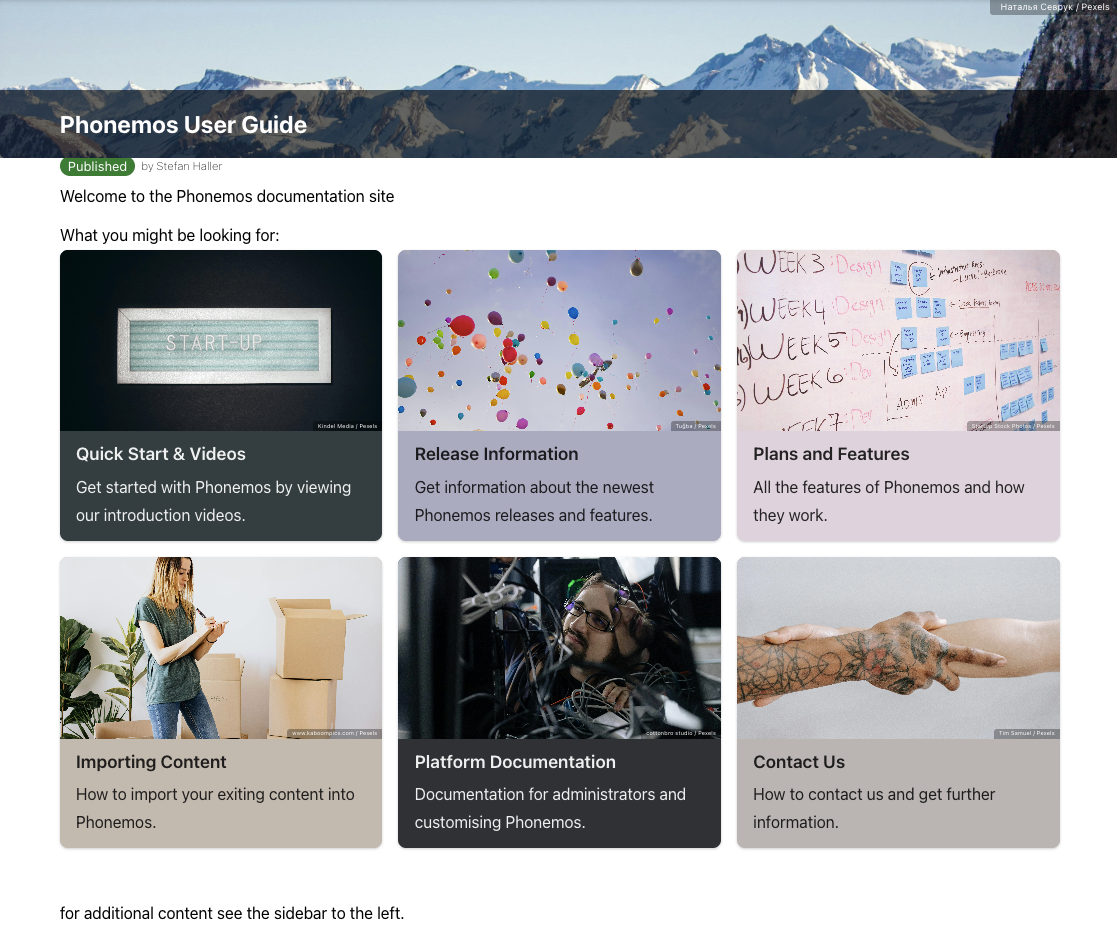
Example cards used for the phonemos user guide
Insert new cards
To insert new cards, use the widget “Card grid”:
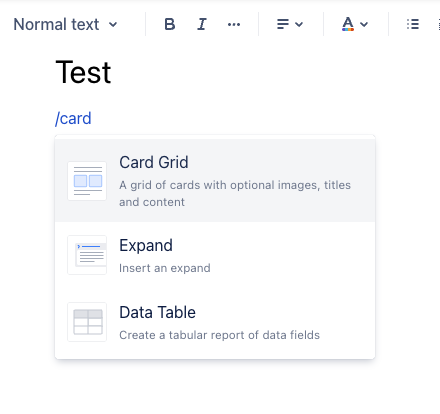
Inserting the widget card grid
The card grid can now be configured in a variety of ways.
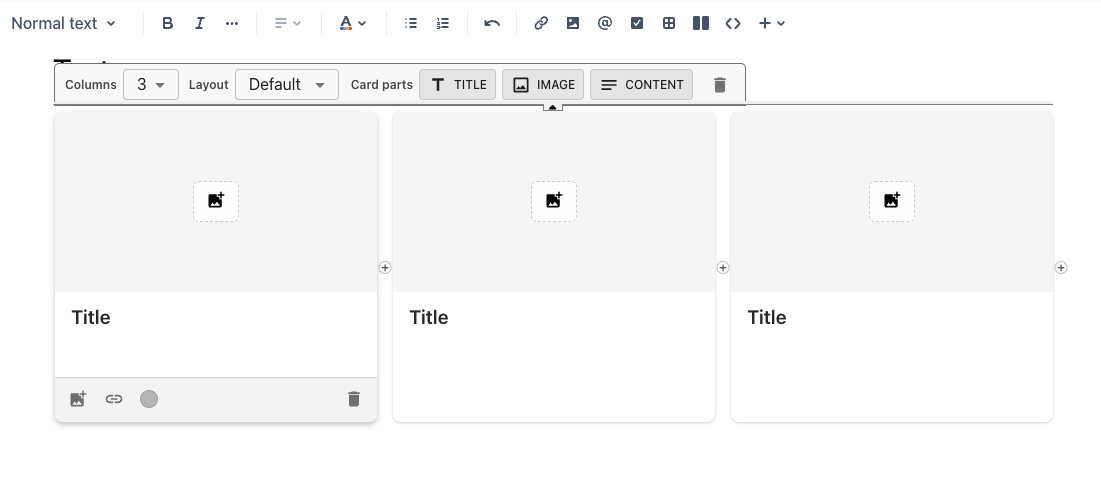
New card grid
Every card has a title area, a content area and an image area. Each of them is optional and you can deactivate and activate each, though deactivating all is not really useful.
Use the + sign to add new cards and the recycle bin to remove one. Each card can be linked to a Phonemos page or external URL. Please note that you can also place links in the description field by selecting a fragment of the text paragraph.
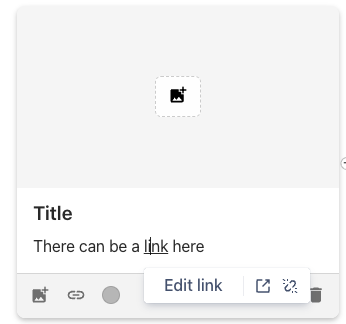
Inserting a link in the description area