General Versioning
The following objects in Phonemos are versioned:
Pages including page attachments
Files in filestacks
With the sidebar on the right, you can retrieve older versions of the object by clicking on the version number or restore it as the newest version with the restore icon next to it.
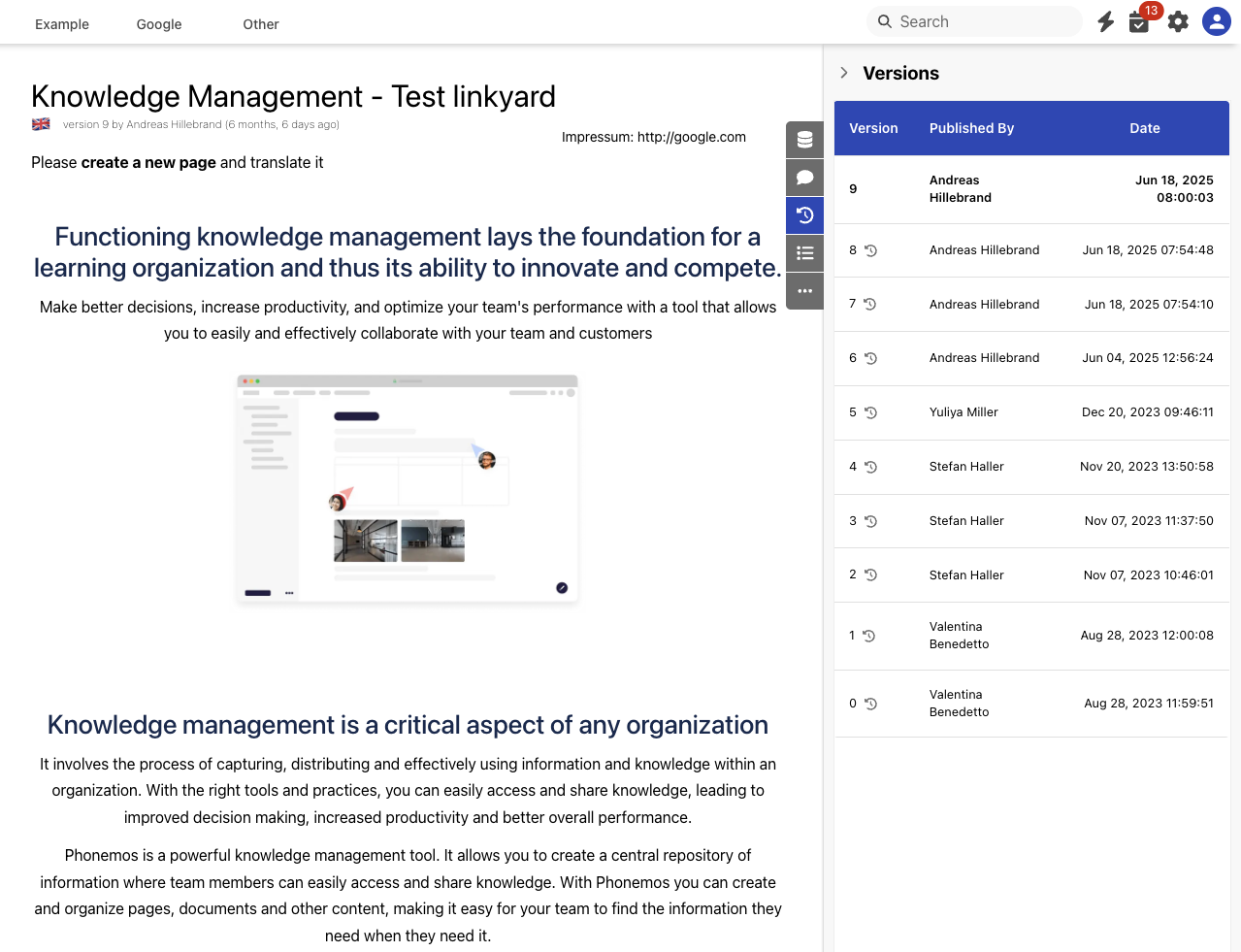
Versioning for pages
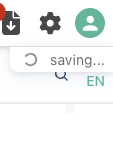
Once you start editing a page, Phonemos creates a draft version of your page. All your changes in this draft are immediately and continuously saved in the new draft version. Whenever saving is in progress, you see an indicator on the very top right of the page.
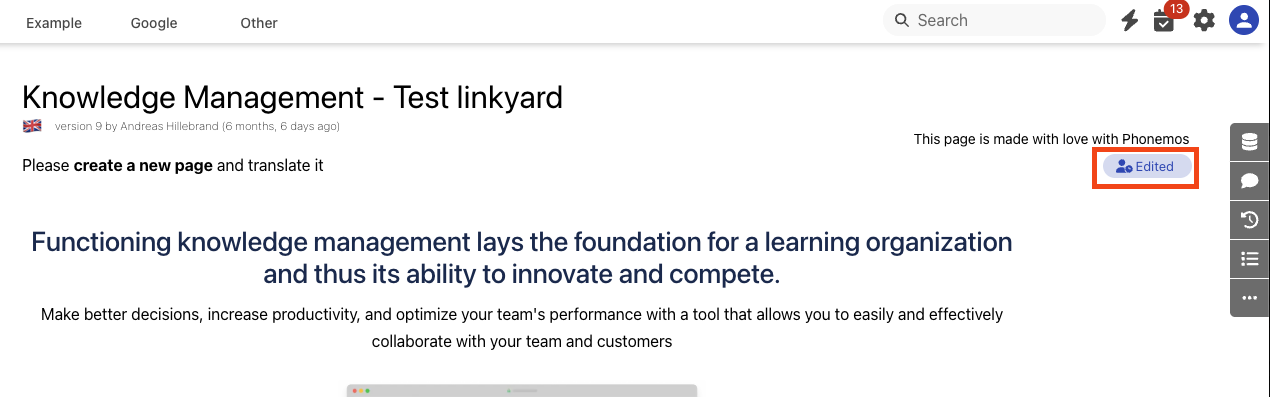
If you exit the edit mode by navigating away, hitting the ESC-button or because you lost your internet connnection, your data is still saved. When opening the page in view mode again, an “Edited” label is announcing that there are draft versions of this page.
If you did edit something, but want to revert this edit, you can use the discard unsaved edit options in the “…” menu in the sidebar.
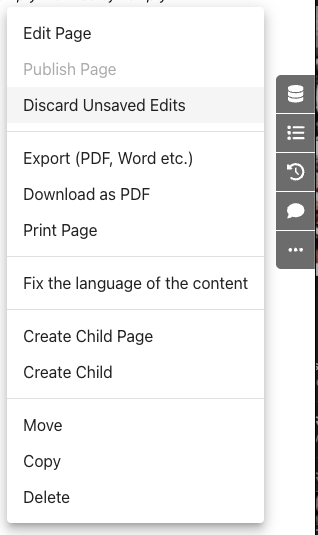
How to publishing a draft of a page as a new version that will be visible to page visitors in view mode will depend on your Page publishing workflow. Page attachments are saved together with the page version, thus being implicitly versioned as well.
Comparing Page Versions
Phonemos allows you to compare different versions of a page to see what has changed over time.
Open the page you want to review
Go to the Versions tab in the sidebar
Click "Compare with current version" next to any previous version
This opens a side-by-side comparison showing:
What content was added (highlighted in green)
What content was removed (highlighted in red)
What content stayed the same
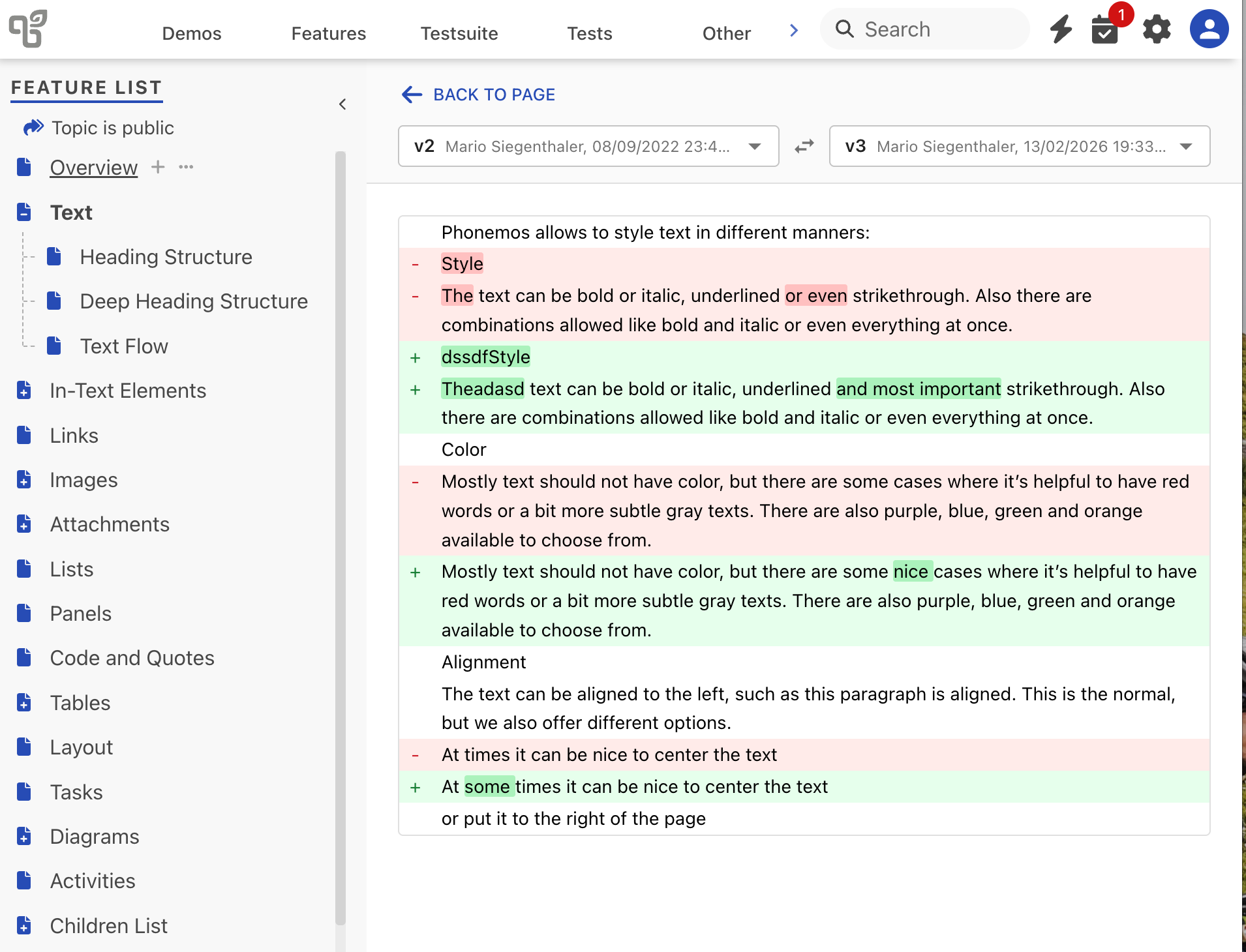
The comparison view shows changes at two levels:
Line level: Entire lines that were added or removed
Word level: Individual words that changed within modified lines
If the page title changed, you'll see that highlighted at the top as well.
Click "Back to Page" in the top-left corner to return to the normal view.
Versioning of files in file stacks
Whenever you upload a file with the same name into a file stack, it will create a new version of the file.
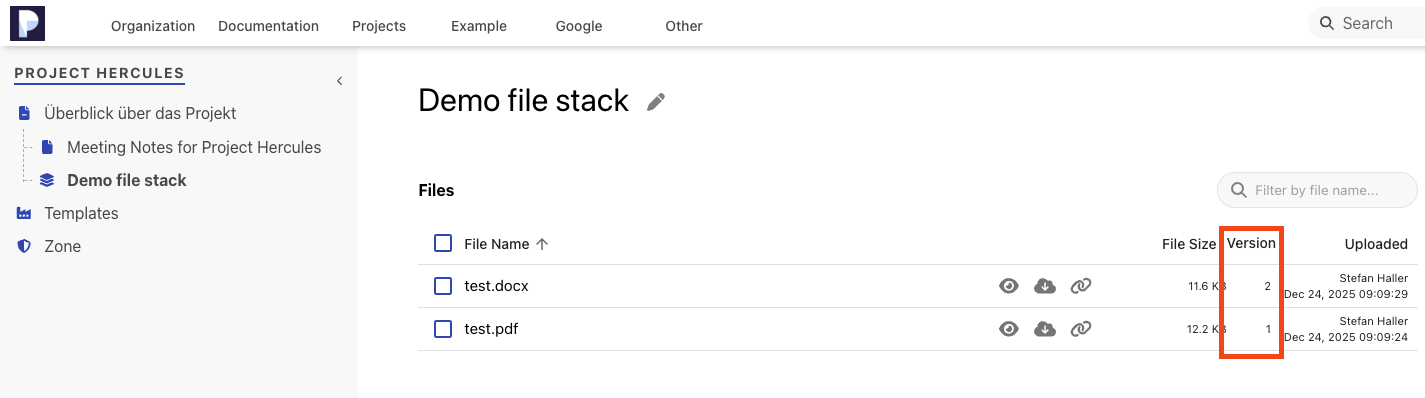
In order to see the history or retrieve previous versions of the files, click on the little “eye”-icon and use the sidebar on the right as with pages.
Restoring deleted objects from trash
Restoring an object within a topic
In order to restore a deleted object from trash, as a topic manager, open the topic settings and navigate to recycle bin. You will find a list of deleted objects that you can restore.
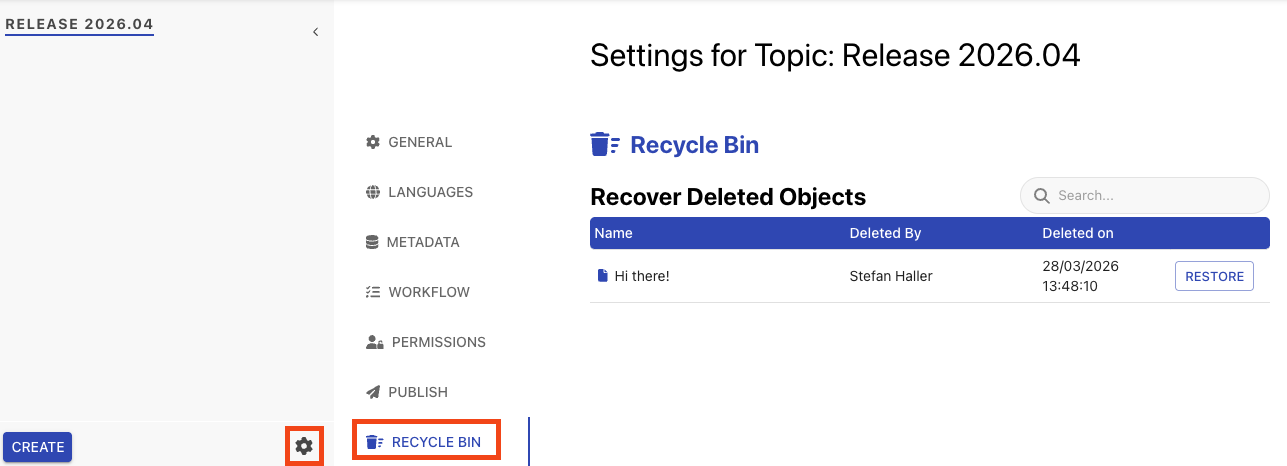
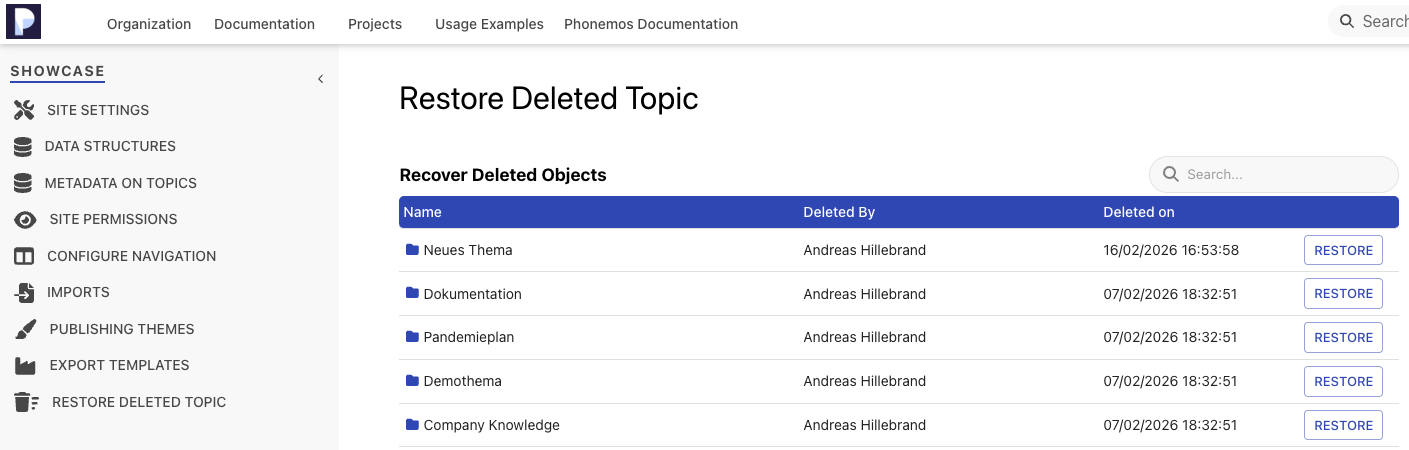
Restore a deleted topic
If you need to restore an entire topic, as a site manager got to the site settings, navigate to restore deleted topic and select the topic to restore from the list.