To follow a structured approach to documentation, you can prepare templates.
Adding a template folder
You can add a template folder into any topic’s object tree and add templates to this folder. You may declare the template folder as local to the current topic or make it available also outside the current topic to all users who have access to this template folder.
Adding a template
Every object you place inside the template folder automatically creates a template from it. Most common are page templates, but in general, also other objects can serve as a template.
Templates for entire object trees
Templates may be built with an entire object tree underneath. In that case, instantiating the template will copy all child objects as well.
Use this for example to create templates for entire topics.
Configuring the create menu
In order to help your audience create a structured documentation or manage the project in an orderly fashion, you may customize the create menu of each topic.
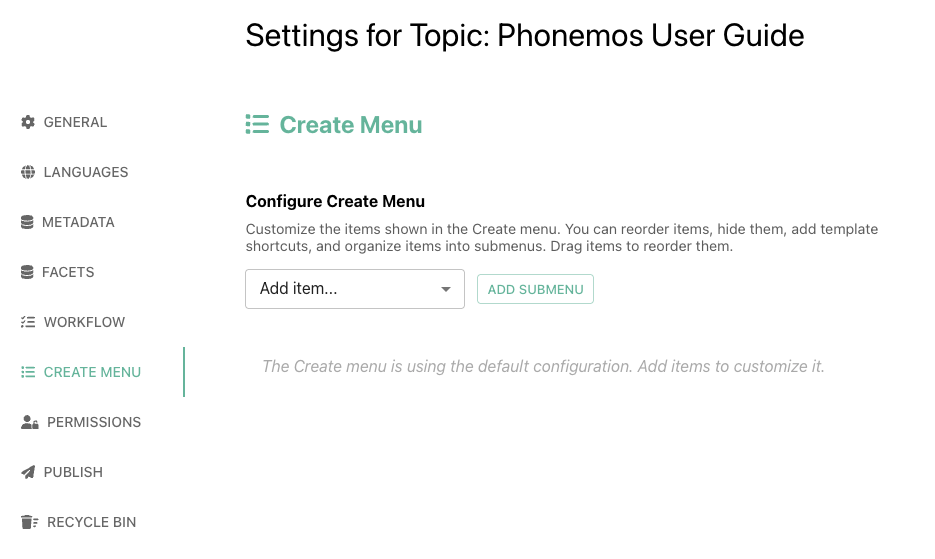
Default create menu
In above example with only defaults, the menu will look like this.
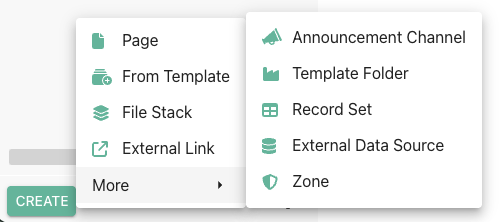
The often used functions create page, create from template, create file stack and create external link are in the on the top level menu, the less often used functions in a submenu called “More”.
Using custom templates to bring meaning to what is created
Probably the best way to use this feature is to add your own templates into the menu. For example, let’s add a meeting note template into the menu.
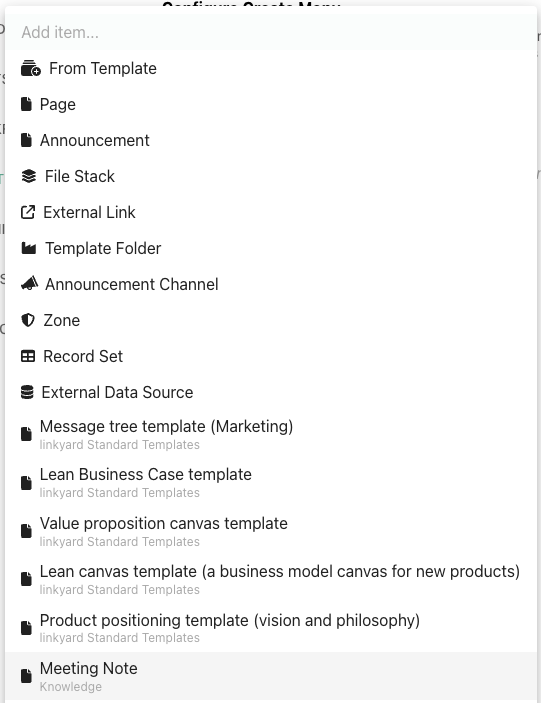
If you want, you can create a submenu and place it there or just add it on the top level menu. Optionally, you may configure a specific parent object under which each new meeting note should be added. If you don’t configure a parent, it will be created on the top level of the tree.
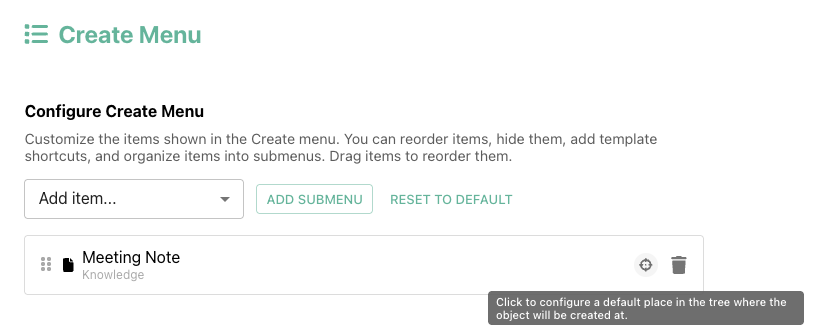
The resulting create menu looks like this:
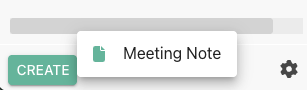
As you see, now all other object types can no longer be created. Thus, you usually will want to add a combination of your main templates plus common objects like page and file stack to complement this to stay flexible.
Why is creating a custom create menu useful?
Using custom create menus you can make your users create documentation very systematically and using the templates you want them to use. And combined with using facets on the templates, you can build custom object types including metadata.