The migration from Confluence Data Center to Phonemos is automatic and usually the complete content and the entire history can be preserved in the migration. The migration effort is very much comparable to a migration of Confluence Data Center to Confluence Cloud and sometimes even easier.
Confluence comes with a huge number of Marketplace Apps that may alter behaviour and content in Confluence. But don’t despair, Phonemos supports nearly all Confluence basic product features and implements a lot of functionality where you had to use paid third party apps in an out-of-the-box product.
Find out more about Confluence app and macro compatibility here:
Step 1 - Download and install Phonemos migration plugin for Confluence
We have an export app for Confluence Data Center that you can use for an automated migration. Reach out to our support to get the newest version and access to our migration support.
Before installing the Phonemos migration app: check the version of Java for Confluence:
Get the latest plugin and install it to your confluence. The version number of the downloaded plugin must fit the number of the build on the bottom right corner.
Step 2 - Get an import token in Phonemos
Under settings, select “import content”.
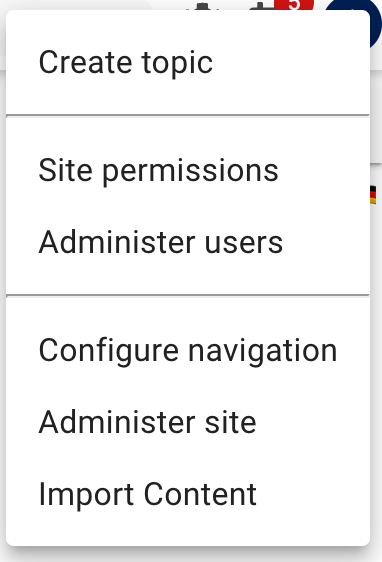
Please note that for security reasons (reduction of attack surface), we run the import service only when you need it.
Click “create new import”.
Copy the token by clicking “get token”:

Step 3 - Preprocessing in Confluence (optional)
Some third party apps can only be migrated cleanly if the data is preprocessed in Confluence. Check out Preprocessing in Confluence for the relevant recipes for specific problems.
Step 4 - Start your export into Phonemos from Confluence
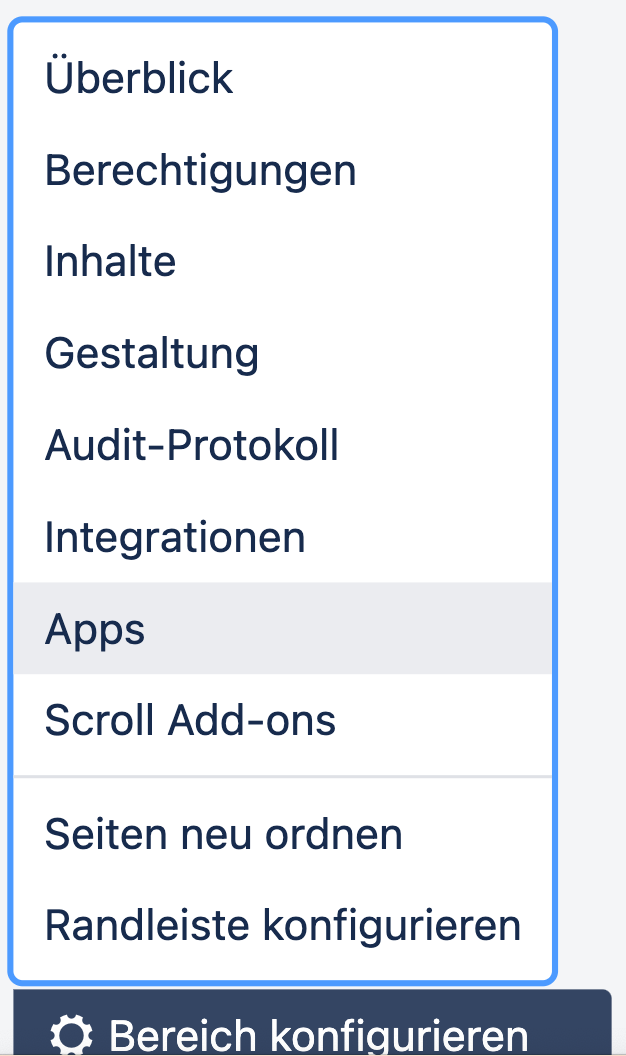
In your confluence space settings, select “apps”
Head to the Phonemos tab and paste your copied token into the field Phonemos Import Token. This is the authentication token for the import.
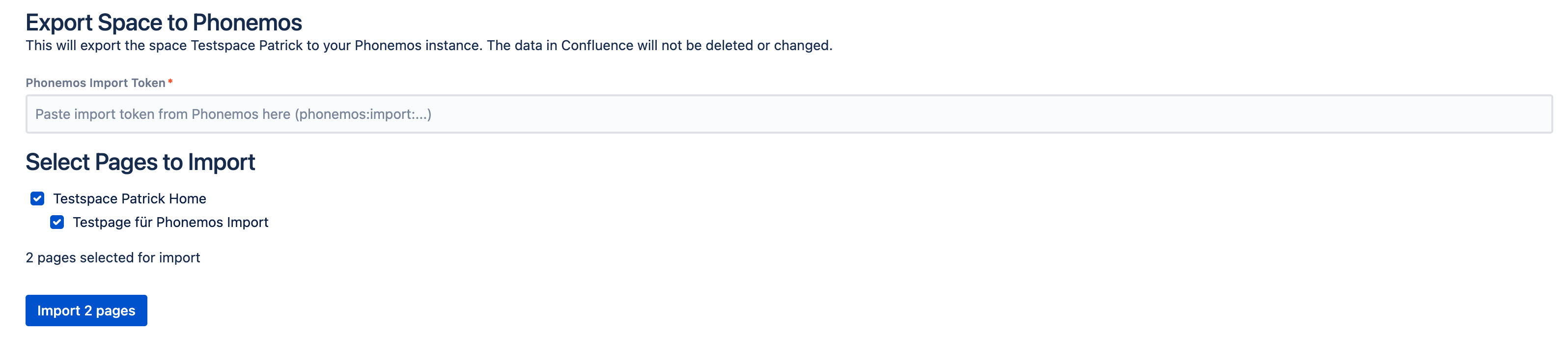
Select all pages you want to import ant press “import x pages”.
Step 5 - Verify your import
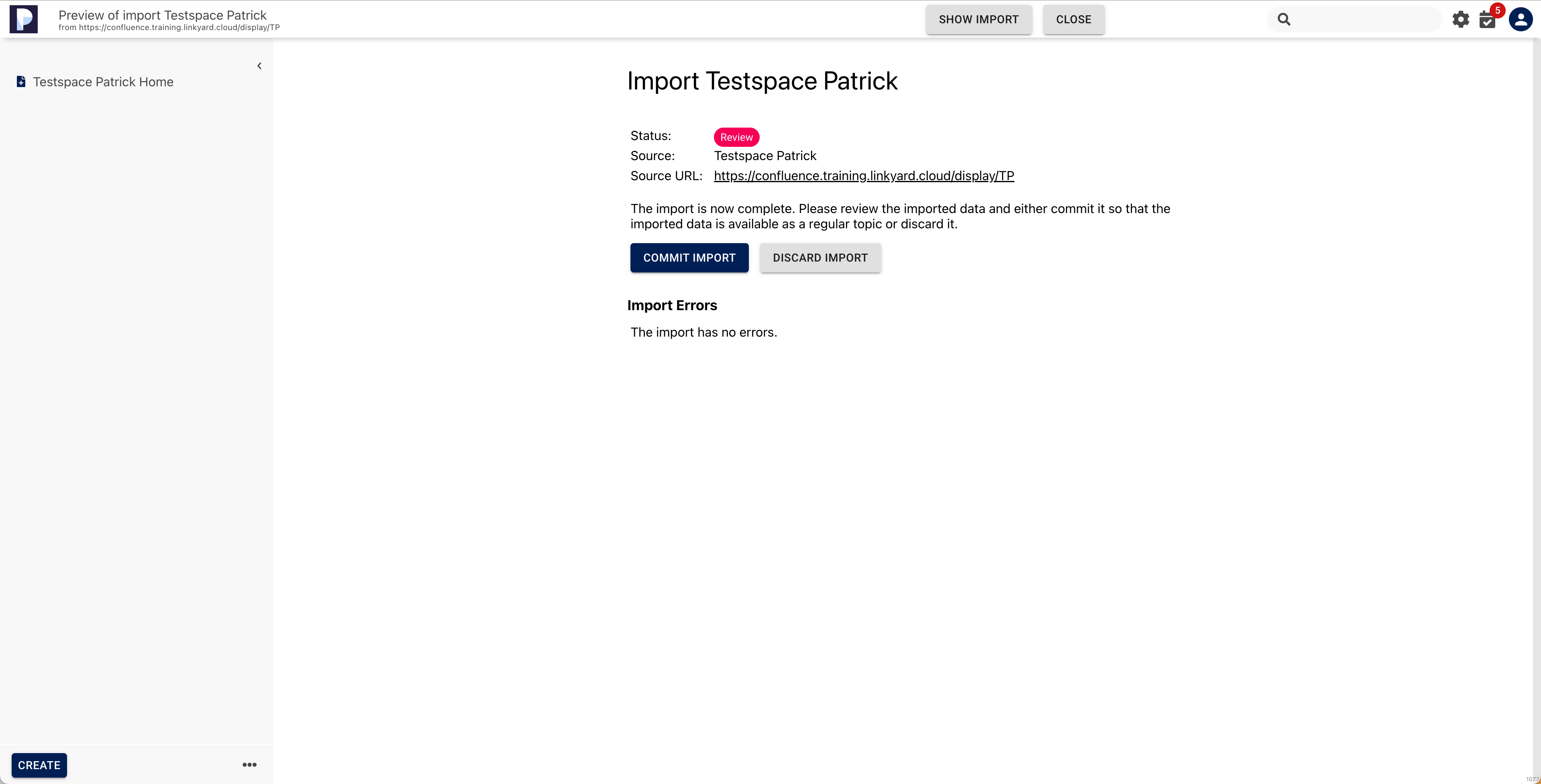
After the import has been executed, the import view in Phonemos should look like this

Hit “view” to review your import. If there was content like macros from unsupported third party apps, you can review errors and warnings for this import and review it to see, if anything important is missing. On the left, the page tree is now available and can be checked to see the import result.
In case there are serious import issues, please Contact us as we can modify and customise the import scripts for you, if needed.
Import jobs can be repeated as often as required until you get the result you wanted. The import function is only accessible to Phonemos admins and only while the import service is activated. Thus, you don’t need to worry about leaking data.
Step 6 - Commit your import
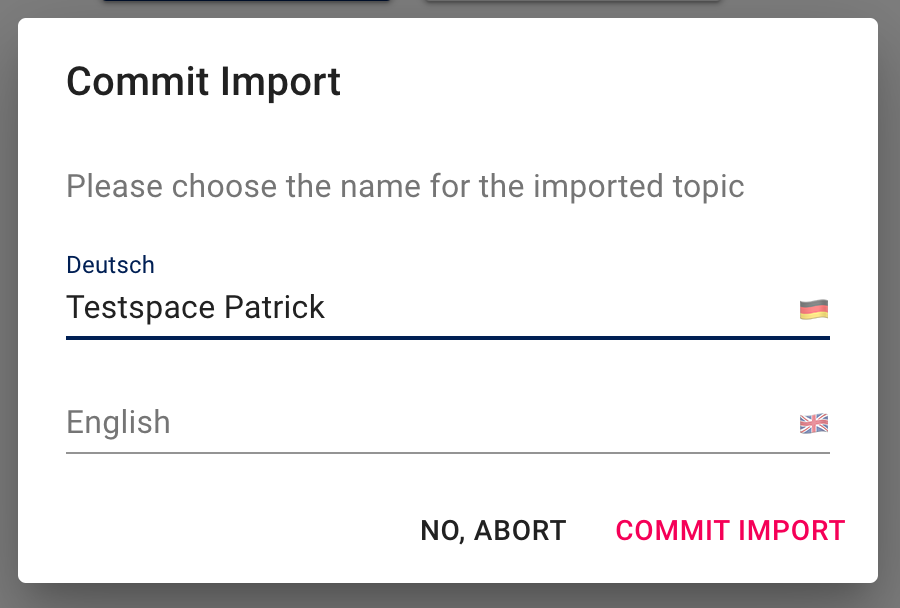
Once you are happy with your import reseult and want to commit it, hit “commit import”.
Name your topic:
Permissions are not migrated: Edit permissions for the new topic (default is “only you”). Change it to your new role-based permission concept.
🎉 done - all your pages have been successfully imported
Migration issues?
Should there be any issues, Contact us.