Phonemos can fetch issues from Jira and show them in Record Sets and Issue Links.
It has the following capabilities:
Standard fields (summary, assignee, key etc)
Any custom fields defined in Jira
At the moment it does not import:
Comments
Issue Links
Some Jira plugin specific fields
Configuration
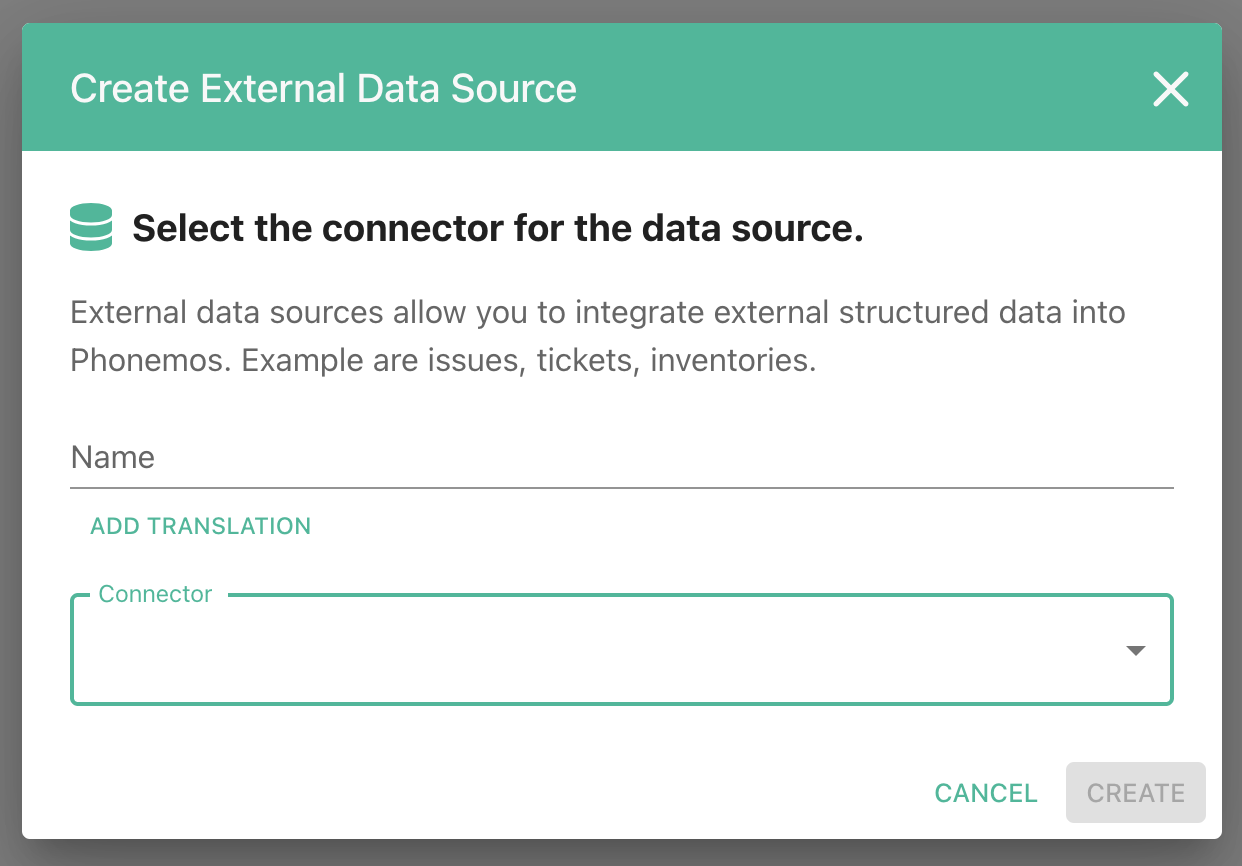
Create an “External Data Source” object in a Phonemos topic and select “Jira Data Center” as the connector.
If you cannot see the “Integrate External Data” in the create menu or you cannot see the connector: Contact the application provider, they need to enable it first.
Connection
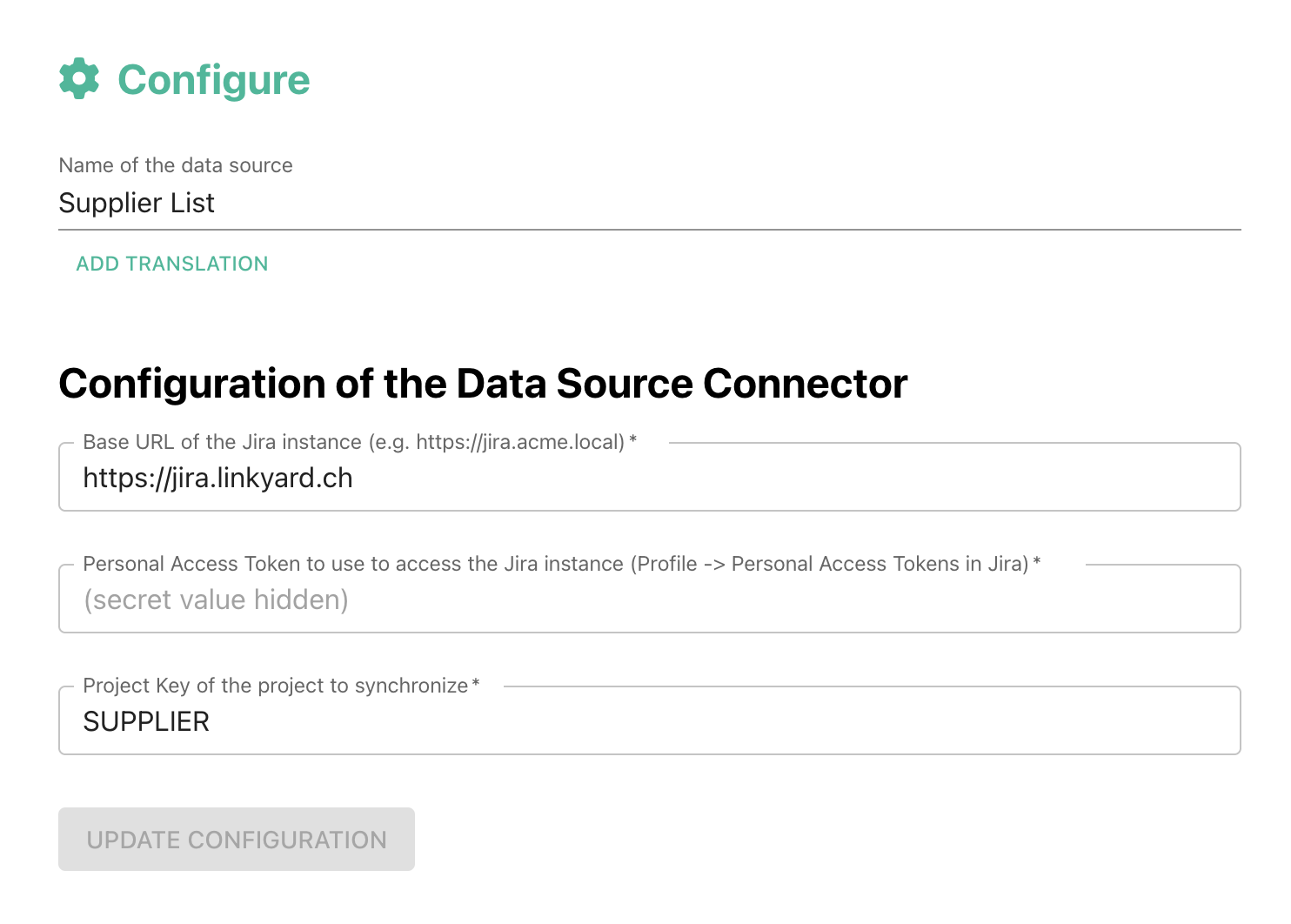
It needs the URL of Jira as well as the Project Key for the issues to synchronize.
Data Mapping
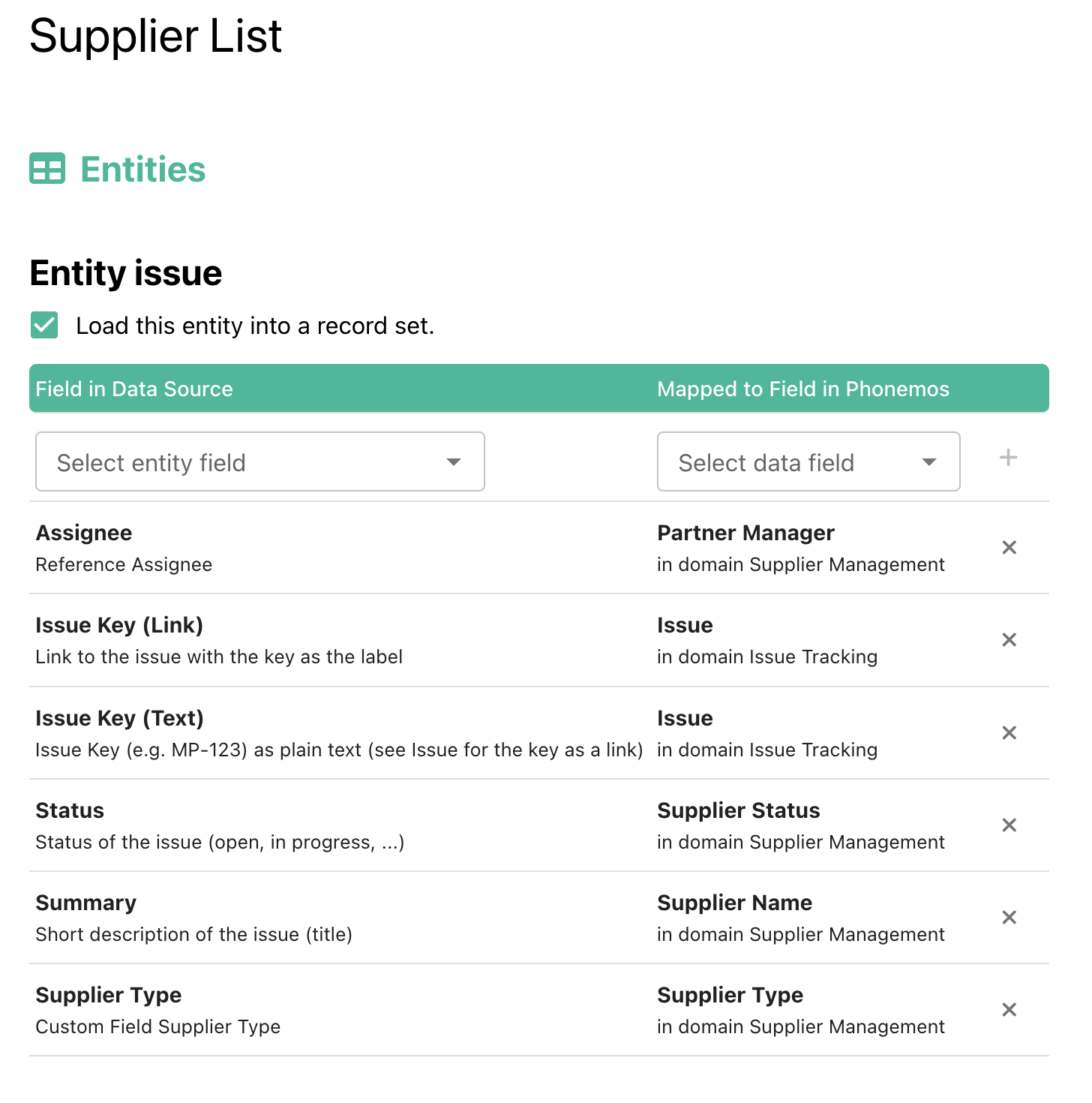
You can map each field in Jira to a field in Phonemos
Security Considerations
Phonemos does not apply Jira’s permission, meaning that it will show the synchronized issues to all users that can see the “External Data Source” object