This release expands content authoring capabilities with powerful import and restructuring tools, adds first-class math and diagram support, and enables AI agents to create and edit content directly via MCP.
Version 2868
New Features ✨
Import and Export of Content
Import documents in many formats (Word, ODT, RTF, Markdown, Docuwiki, Typst, LaTeX, and more) directly into Phonemos pages. Available in the “…” menu on any page
New Phonemos Archive export format captures all page data and is importable into other Phonemos instances
Control page breaks in PDF and Word exports with the new Page Break widget. This inserts a page break in Word and PDF and is not visible in the browser
Import from Azure DevOps (see Migrate Azure DevOps Wiki), Sharepoint (Migrate Sharepoint) and file shares (Migrate Word Documents)
Split and Merge Pages
Split a page into multiple pages at heading boundaries
Merge child pages into a single consolidated page
Math Formula Support
Write mathematical expressions using LaTeX syntax as inline or block elements
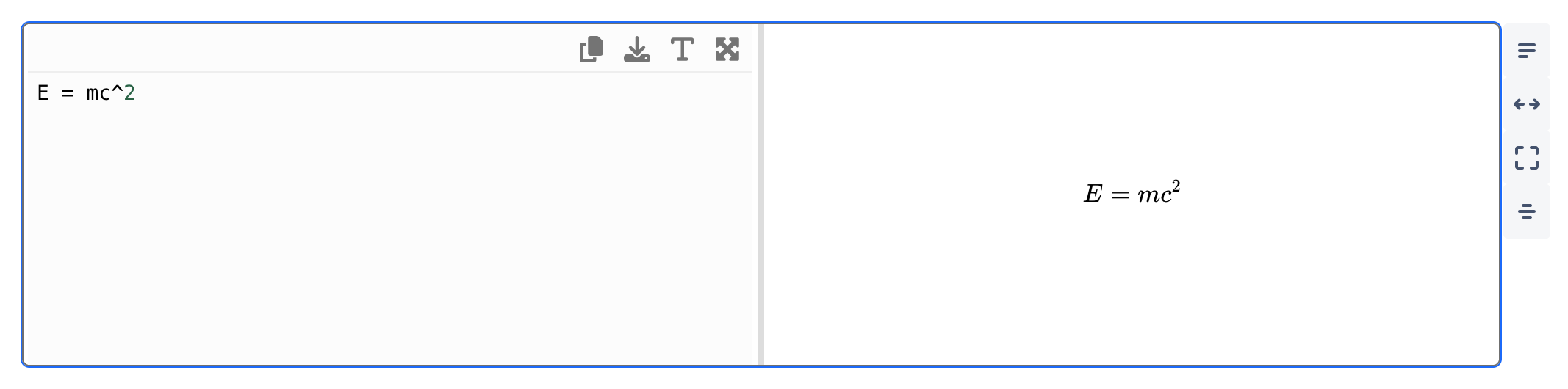
Diagram Widgets: PlantUML and Mermaid
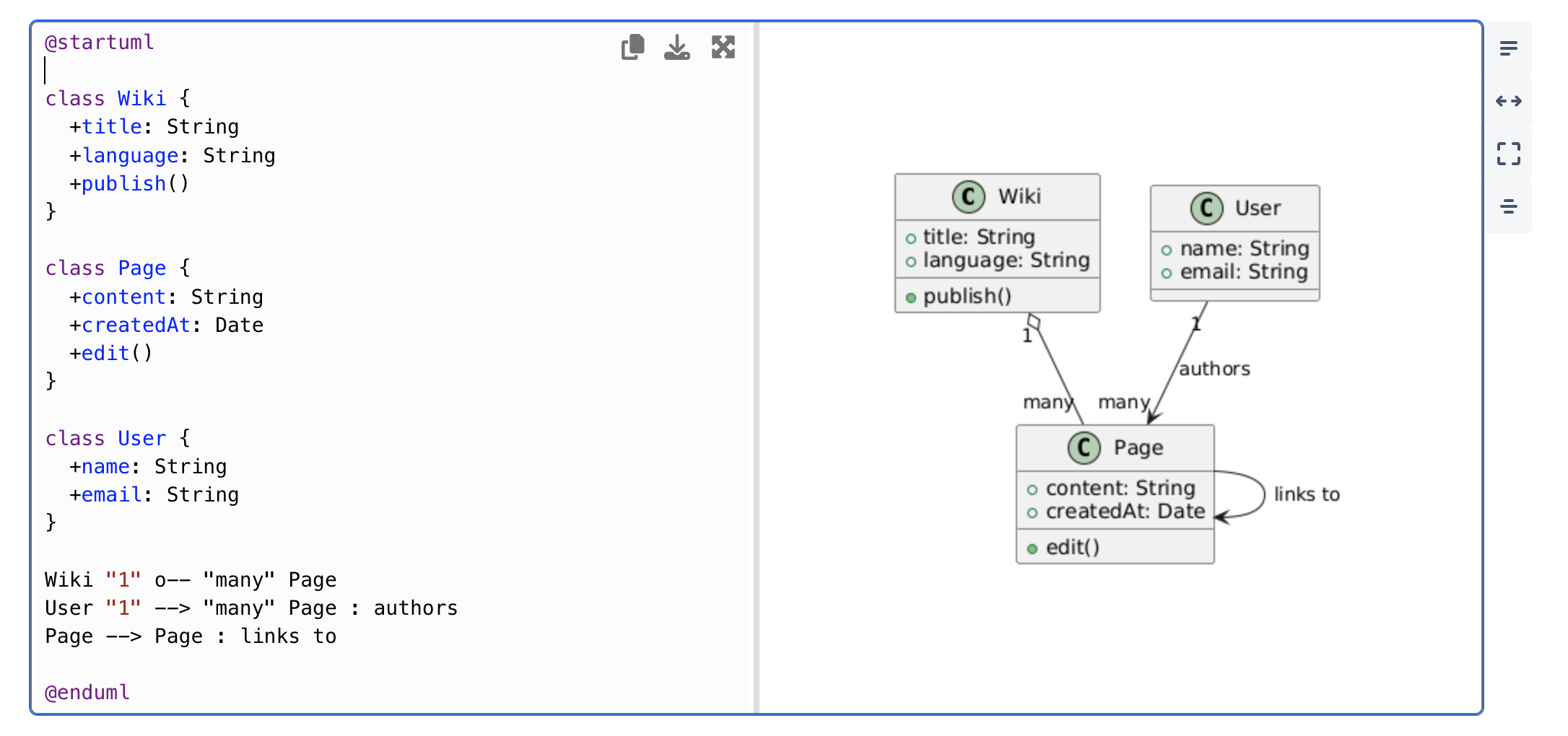
PlantUML and Mermaid diagram widgets with syntax highlighting and live preview (diagrams update as you type)
Fullscreen editor to edit the text-based diagrams
Full live collaboration support on diagrams, multiple persons can work on the same diagram concurrently
Diagrams from all supported formats (Drawio, BPMN, CMMN, Mermaid, PlantUML) are now rendered as images in PDF and Word exports
AI Authoring via MCP Server
AI agents like Mistral, Claude, ChatGPT and many other can now create new pages and edit existing content in Phonemos using the MCP server on the explicit request and in the name of a user.
New tools: createWikipage, addWikipageRevision, getWikipageContent, validateContent, getDocumentSchema
Contact your Phonemos partner to connect your Phonemos instance to your LLM provider
Publishing Workflow: Version Tags
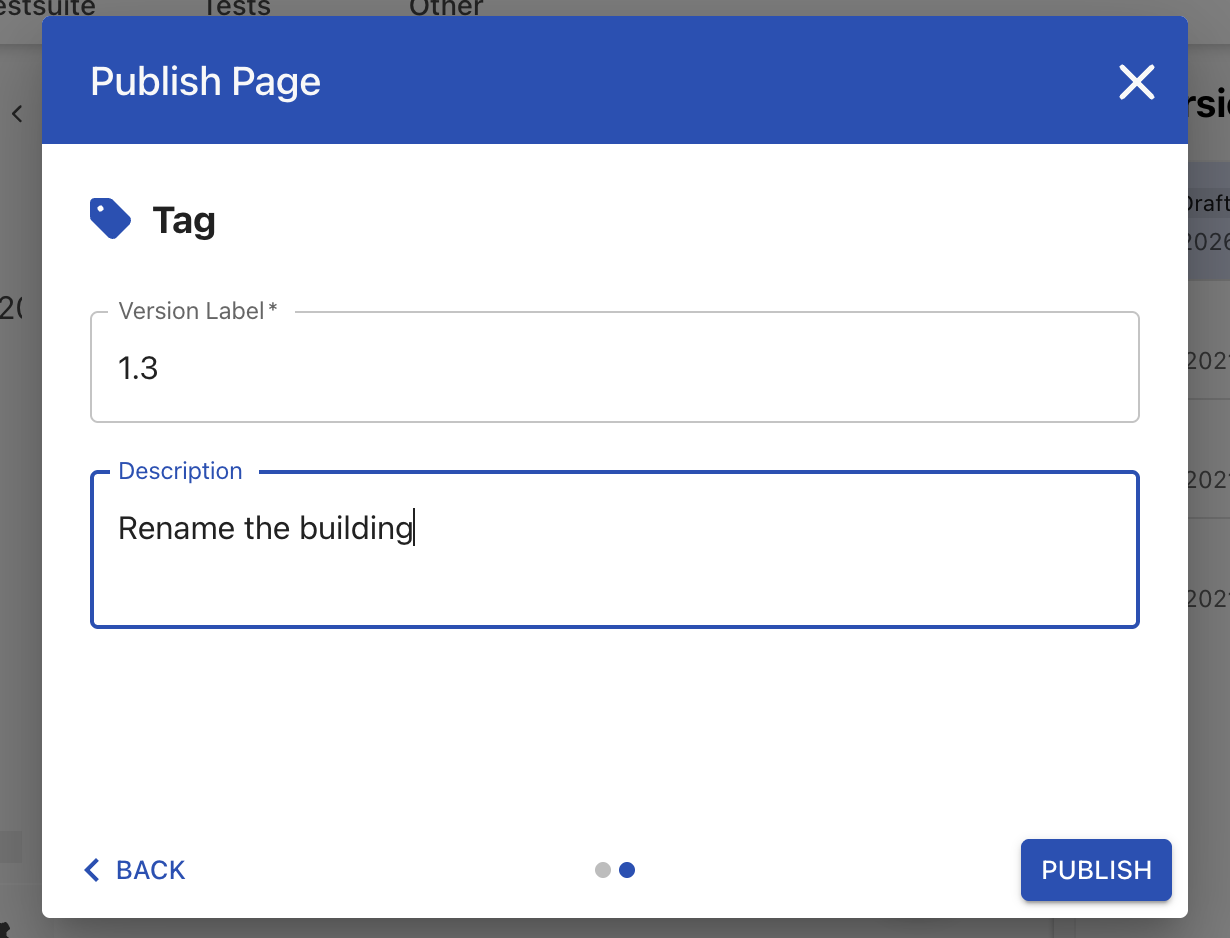
When publishing a page, users can now enter a label or version name as a tag
Configure the workflow under topic settings → Workflow and chose “Explicit Versioning (Tags)”
Diff View for Pages
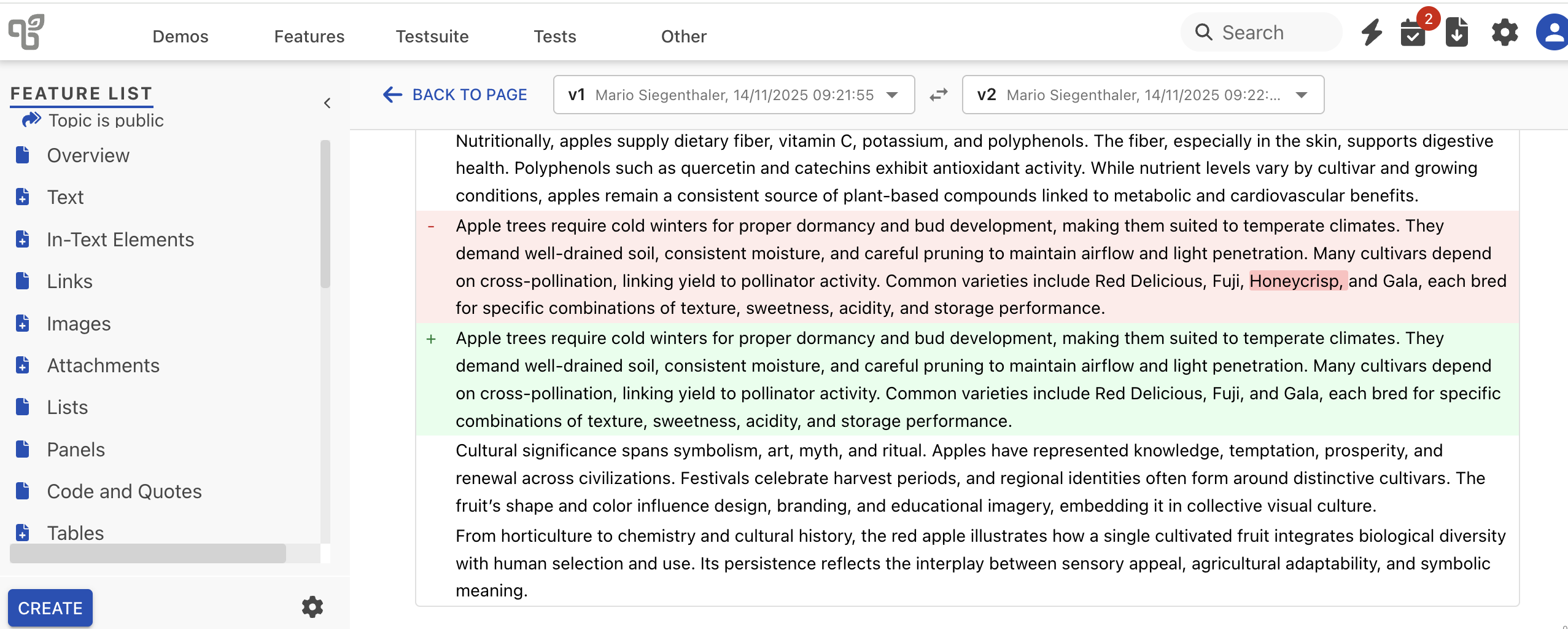
Compare revisions of a page with a visual diff view
Improvements ⚡
Language and Localisation
Language switcher available on public sites using the default theme
English locale switched from US to GB (affects date formats and spellings)
Confluence Import
Improved import of Confluence tables
Improved import of Confluence panels (nicer look)
Improved sizing of images imported from Confluence
Fixes 🛠
System Stability
Documents are now exported in the viewed language
S3 CORS settings corrected
Several UI typos fixed across all languages
Create announcements button no longer scrolls out of view
Exporting pages with values for removed metadata fields no longer fails
Better compatibility with EntraID for SCIM
On-Premise Operations
Helm
Database migrations now run in a dedicated container with advisory-lock serialisation; Hasura, backend, and frontend will not start until all migrations are complete. This minimises downtime during upgrades
Reducing memory and filesystem footprint by consolidating serveral large converter containers (bpmn, drawio) into a reusable one
Standalone linux
System restart now always brings up all containers, fixed waiting for dependencies to start first
Show enabled features and active capabilities in the “About” dialog
Technical Updates
Update Pandoc to 3.9
Various dependency updates for improved security and performance